My Personal Stylist
An Outfit Recommendation Assistant for Special Occasions
Role:User Research, Prototyping, Visual Design, User Testing
Duration: Oct - Nov 2022 (10 weeks)
Methods: Surveys, Interview, Wireframes, Prototypes
Tools: Paper, Figma, Google Forms, Adobe Premiere Pro
Overview and Purpose: This is a course project(User Interface Evaluation & Design). My team and I utilized the human-centered design process to create a prototype aimed at assisting individuals with selecting outfits. To accomplish this, we surveyed potential users to understand their requirements better and designed high-fidelity interactive prototypes.(Link to figma)
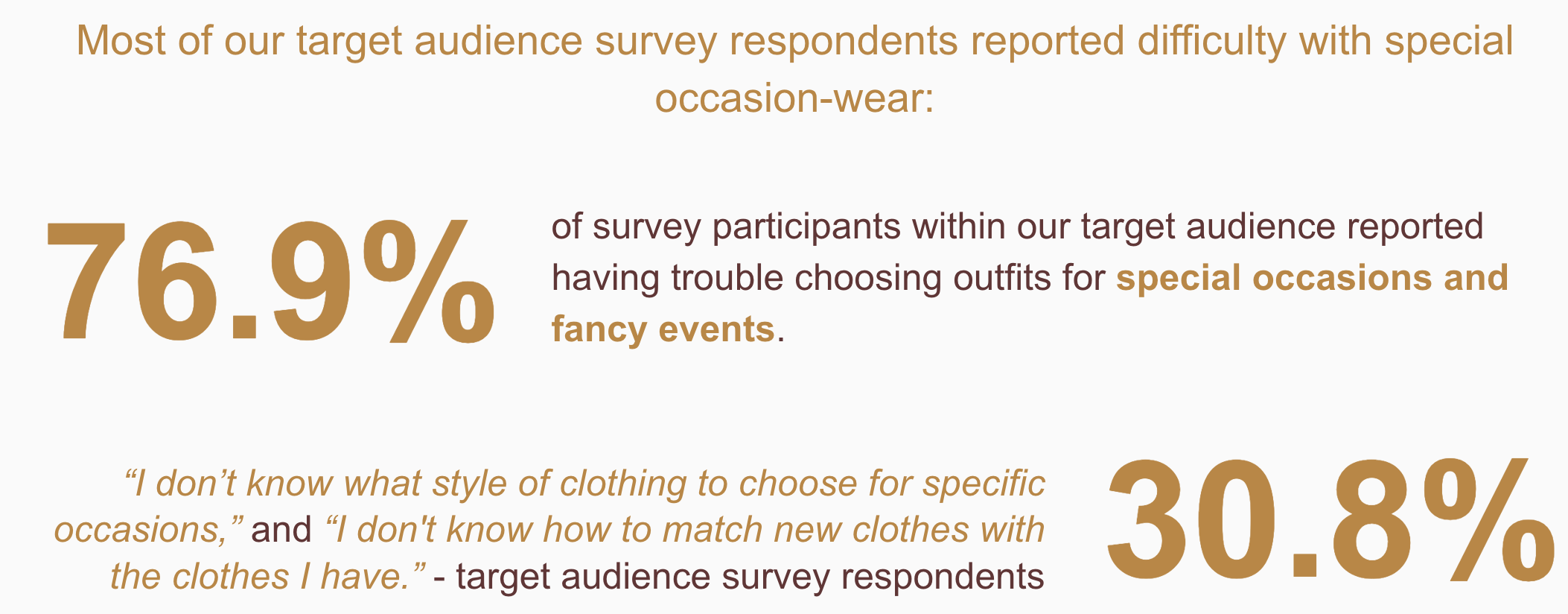
Pain Point: People in their 20s, both students and professionals, have varying degrees of trouble creating outfits for special occasions.Outfit selection is time-consuming, difficult, and frustrating. Special occasion clothing is among the most difficult to select.
Solution: A mobile application assisting individuals with selecting outfits for specific occasions. Link to the video demo
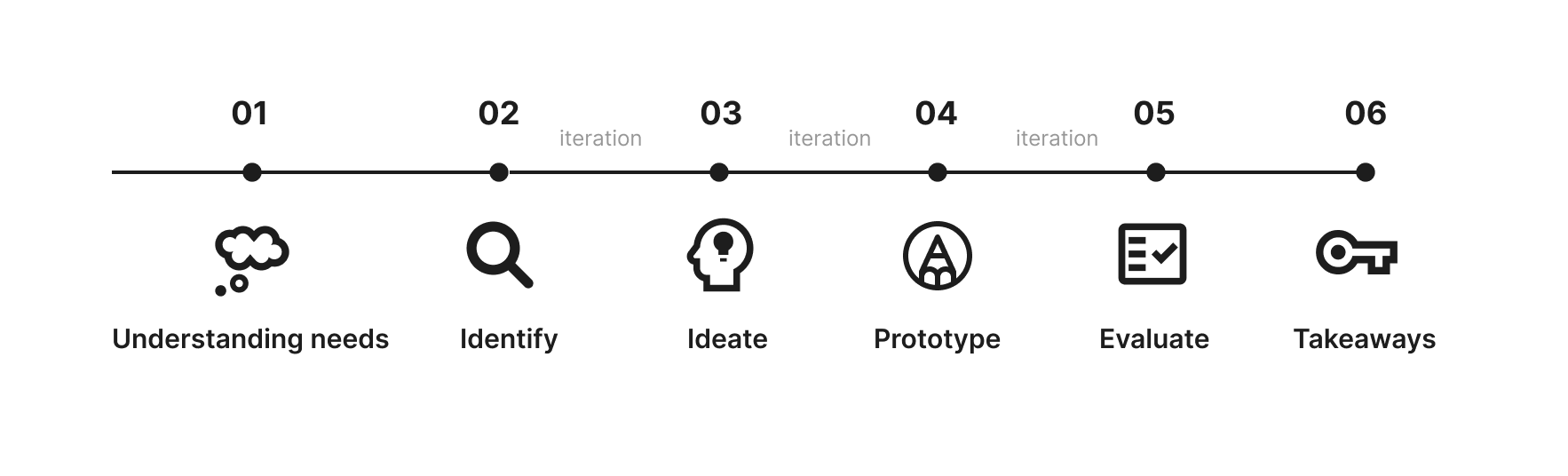
Design Process
Research
To better understand the issue, we initially acquainted ourselves with the user’s context in the current problem of selecting outfits.
Why do people have problems choosing outfits for special occasions?
What frustrates people about choosing these outfits in these contexts?
How can technology help address these concerns?
Formative Component Method
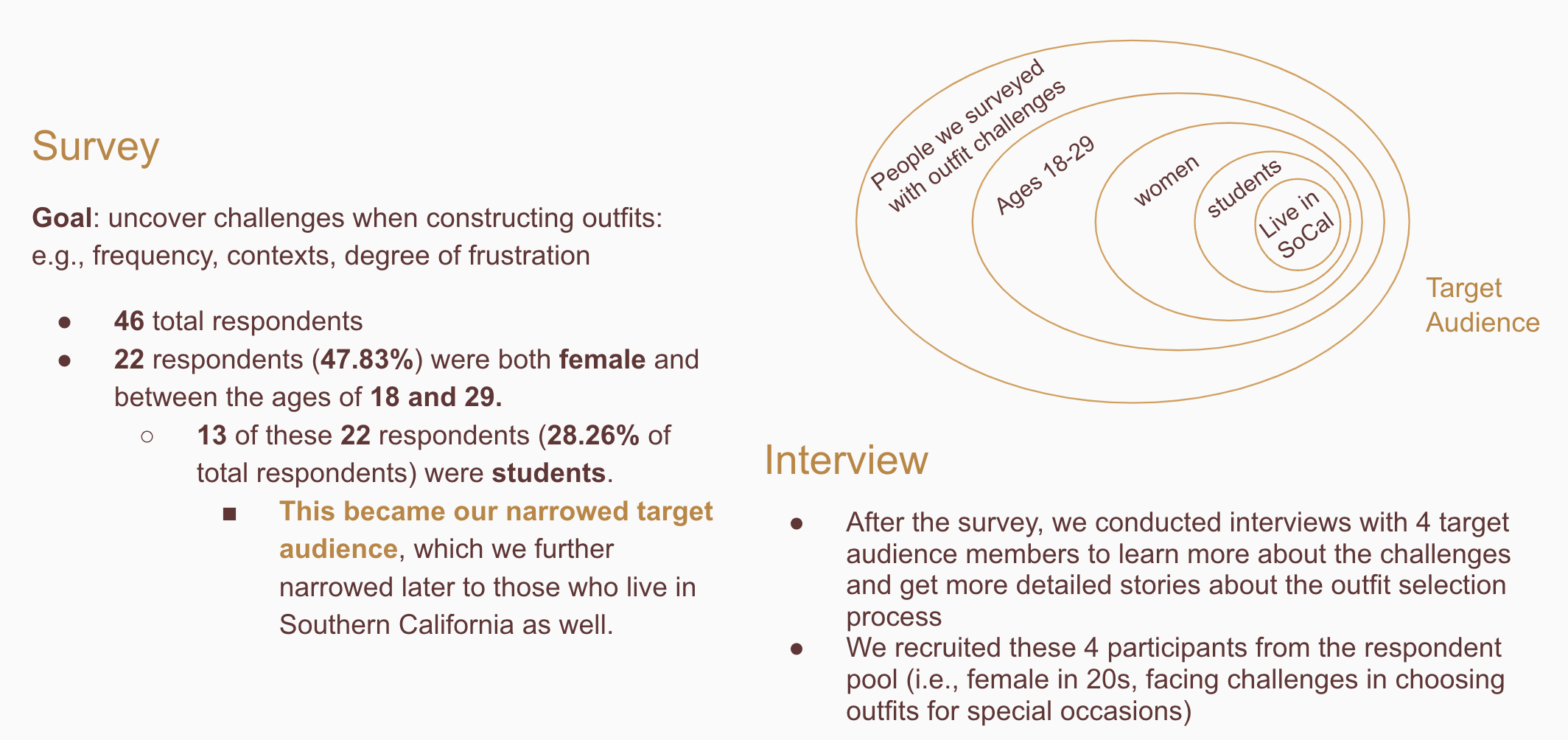
We implemented a survey and interview protocol to help us better understand the needs of our target populations. These methods are noninvasive and reduce potential bias that people may introduce since they may be embarrassed about their personal clothing choices and may give erroneous responses.
Survey
Survey was conducted before the interview. We sent this survey to people from this target group who are from our personal network.
Interviews with Target Audience
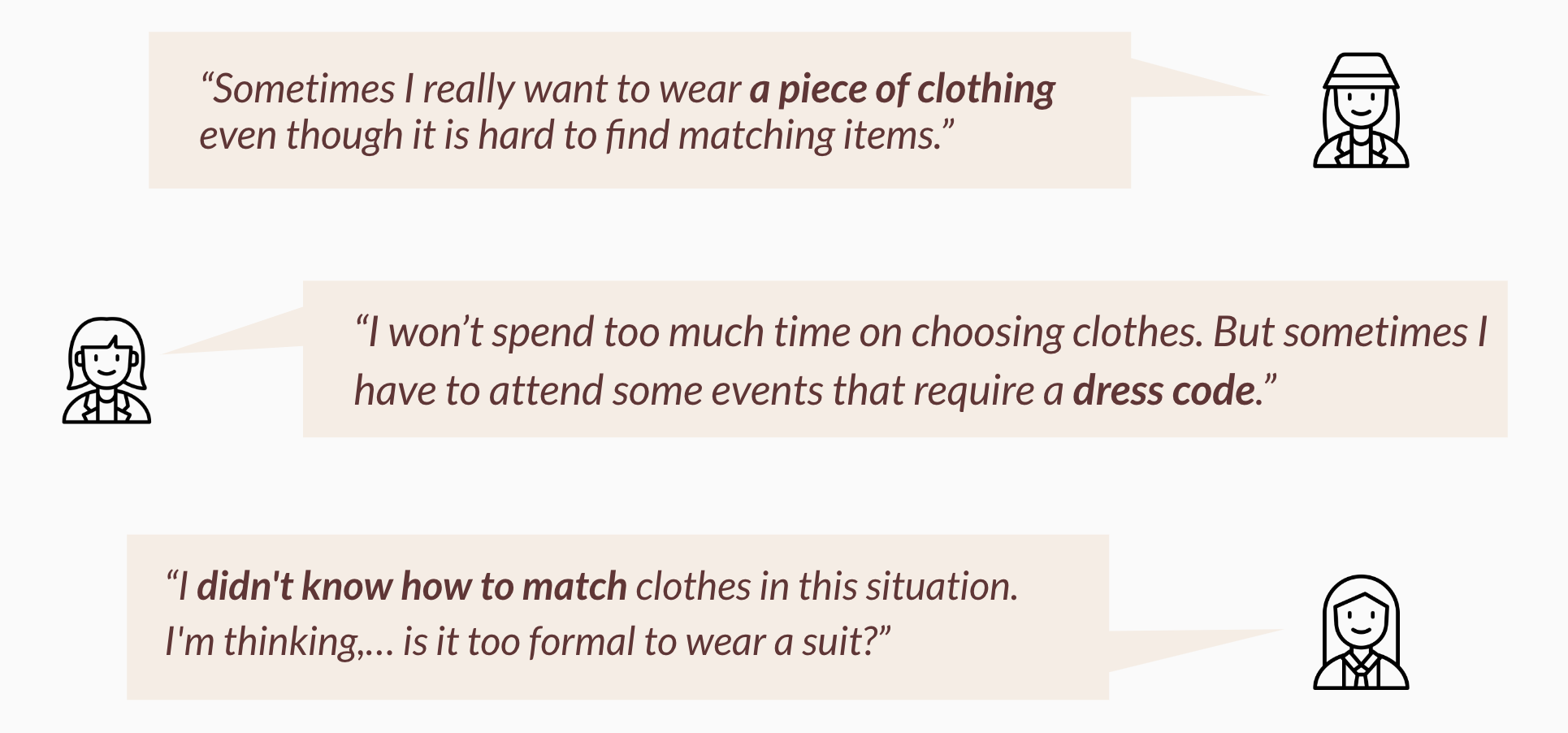
We conducted interviews over Zoom with target users who took our survey. We selected interviewees based on the results of the survey. We chose to interview people so that we could further understand the needs, frustrations, and user behavior of the target users in the narrower user group. We also focused the questions around one specific occasion (special occasion clothing) for an outfit selection.
Formative Takeaways
- Special occasion clothing was difficult for our target audience to style
- Following a dress code is frustrating
- Users have trouble creating an outfit centered around one item of clothing they really want to wear
Design & Prototype
Low-fidelity prototype
We developed low-fidelity paper prototypes that we brought to class that are based on the challenges we uncovered during the user research phase. Our low-fidelity paper prototype included features such as “my closet” and “adding clothes.” We drew sketches of the signup and login procedures, outfit recommendations, and clothing inventory viewer.
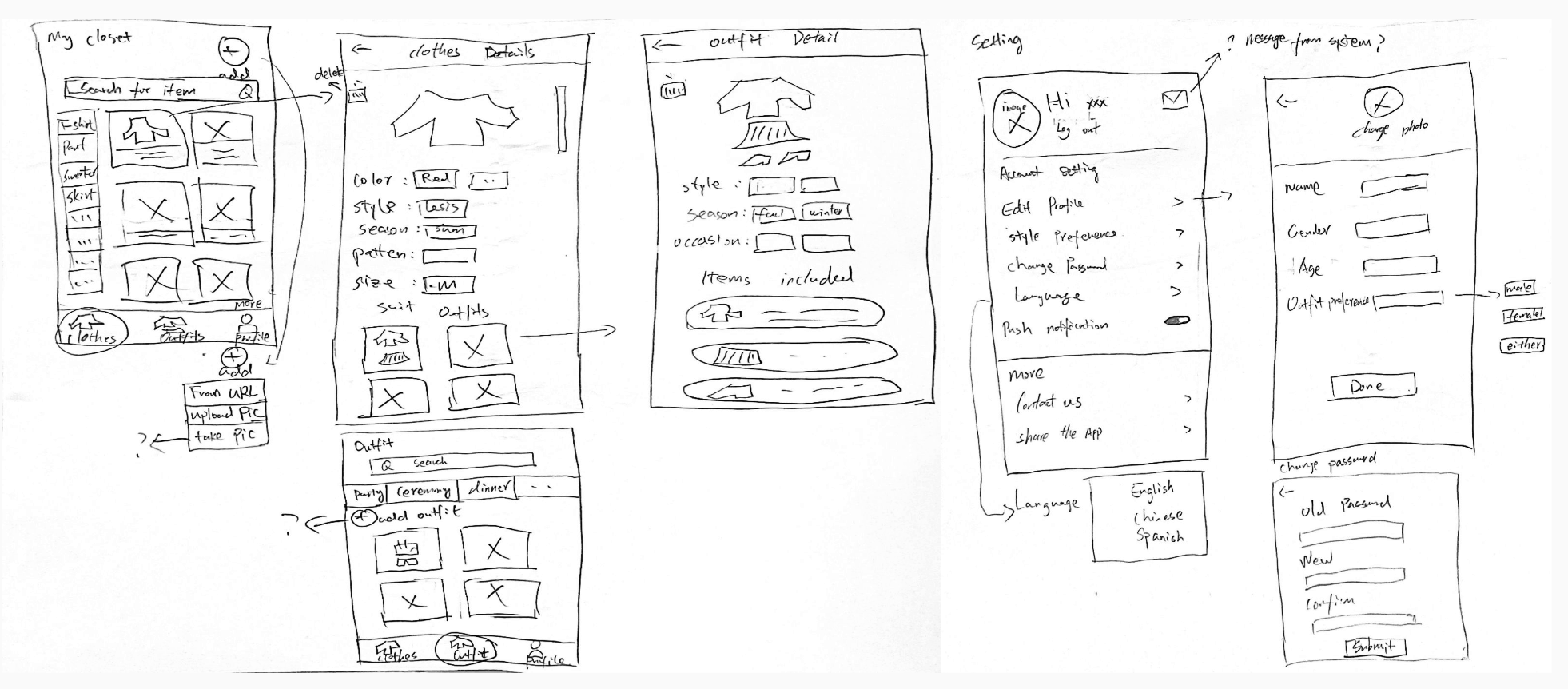
Iteration - Paper Prototype Evaluation
After showing our prototype to people in the class and target audiences, we discussed ideas for improving on our design.
Cataloging all of a user’s clothes using manual entry is time consuming. This was mentioned as a concern by multiple participants.
The clothing UI was vague and did not give obvious indicators of functionality, which led to confusion.
Style is personal and unique.
- How does the application know what “good” outfits are for the users?
- Different users could tag their clothes in different ways. Considerations: Some considerations, such as how good an outfit is for a user or what constitutes a special occasion, we considered to be a question for future and more in depth user research.
Iteration - Re-designs
How to determine a good outfit
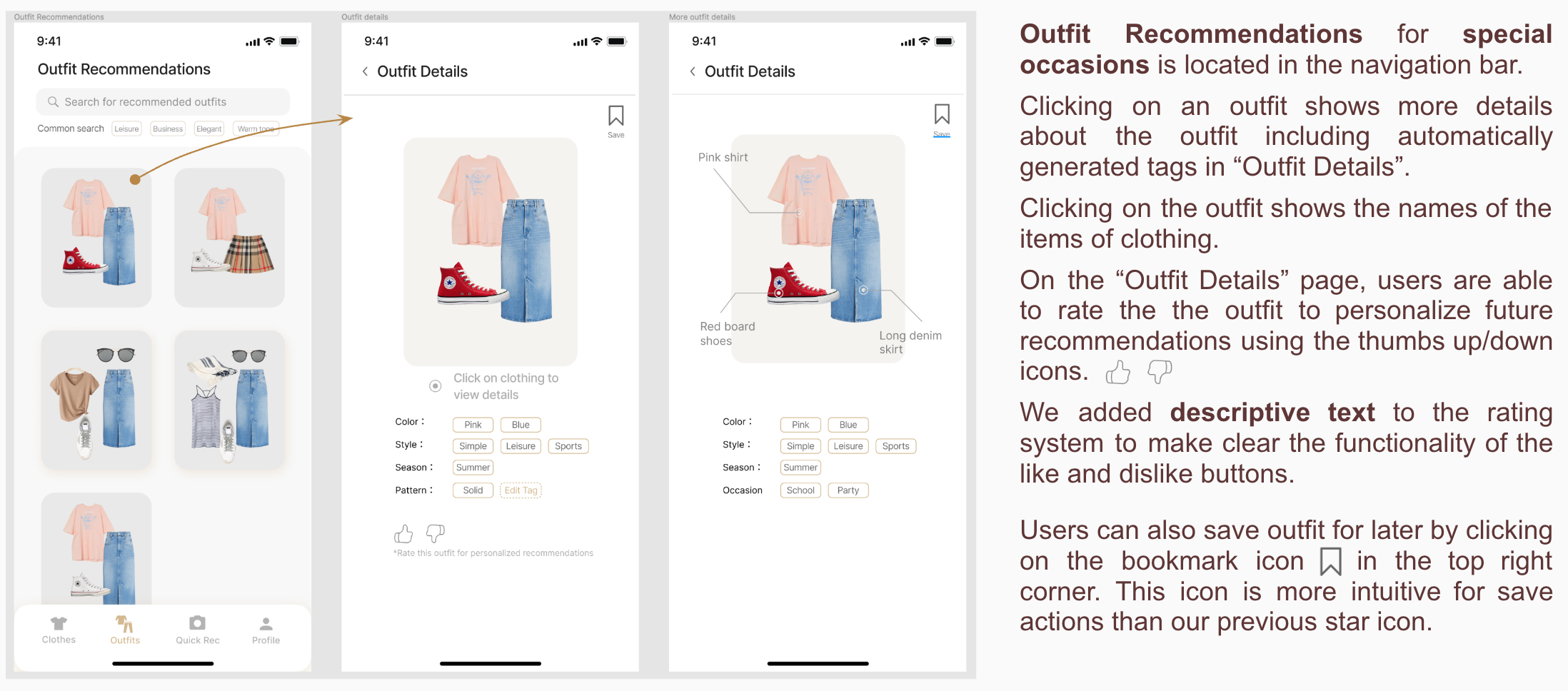
→ Rating System: Rating up/down for the recommended outfits so that the system can learn user preferences would lead to more personalized recommendations.
x Social Component where users could share images of their outfits. This could influence people to purchase more clothes, so we decided against developing this.
How to determine a good outfit
→ Search function: users can search for specific clothes using terms from the clothing details, rather than use the filter tabs.
→Automatically generated tags/labels for uploaded clothes, to reduce the time needed to upload clothes.
Mid-Fidelity
We created our final iteration of the Mid-Fidelity prototype following evaluations.
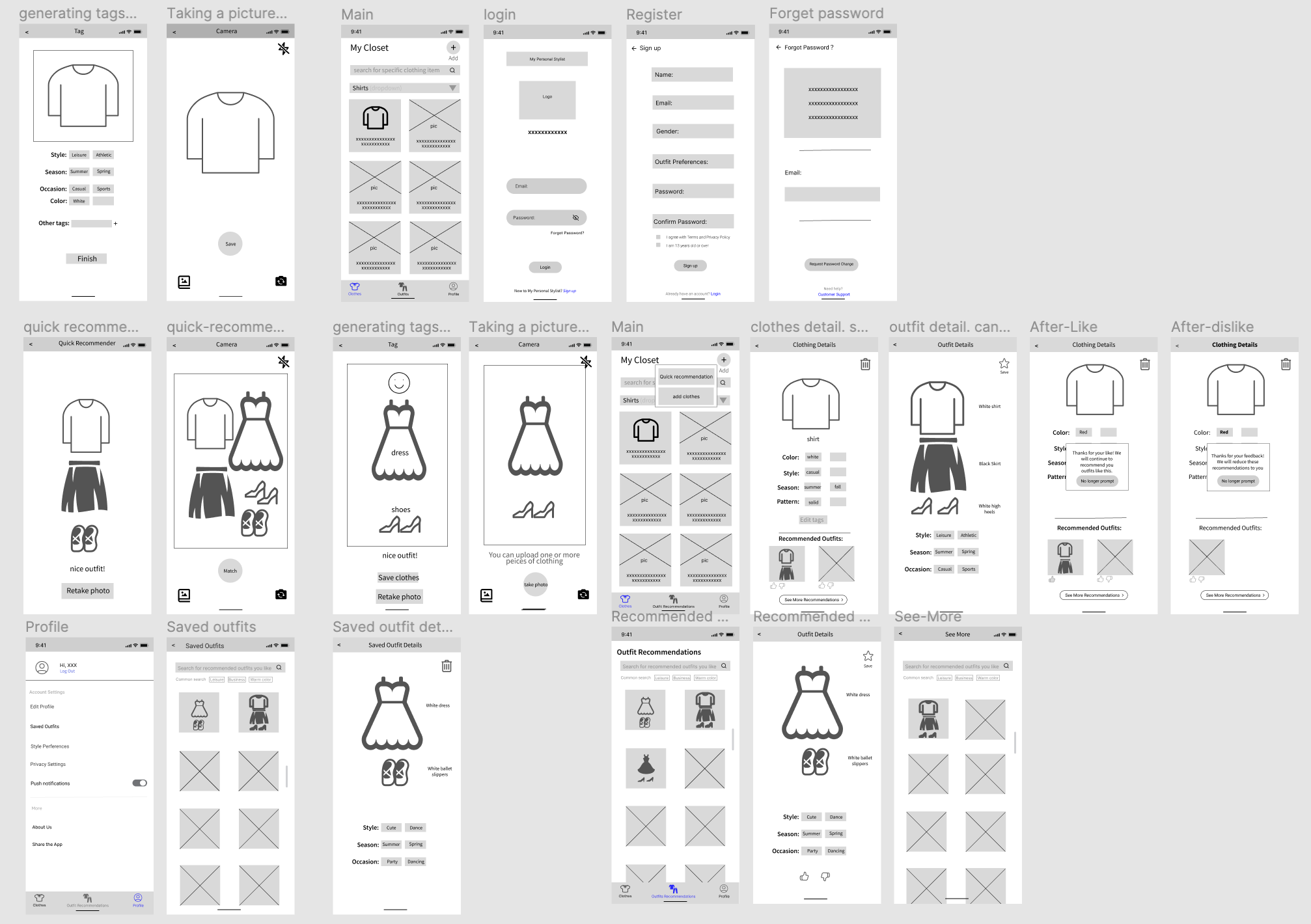
Mid-Fidelity Evaluation
Interviews with P1 and P2.
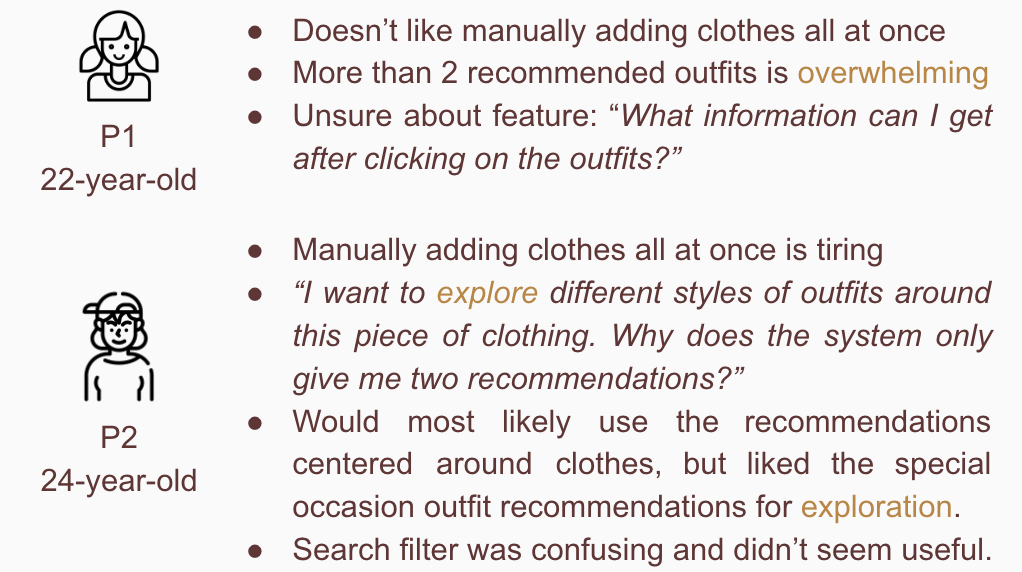
Takeaways
- Time consuming to add all the clothes
- Tedious to add clothes and tags for the clothes
- More flexible choices for recommended outfits
Iterative Re-Designs
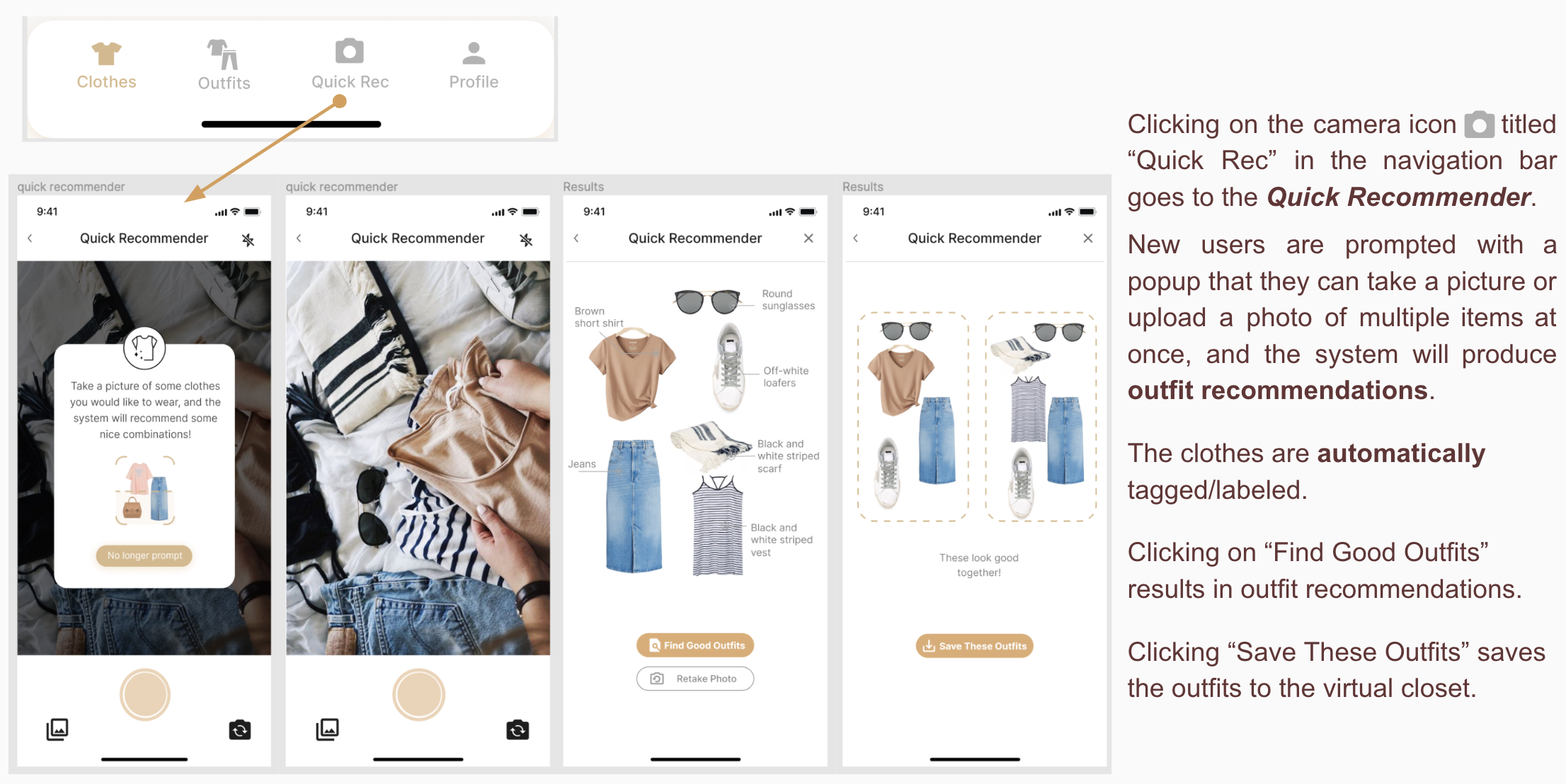
→ New feature: Quick Outfit Recommendation.
- A user can upload a few clothes at one time to get a quick recommendation for outfit combinations.
→ Auto-Tagging
- Automatically generating tags for the clothes
→ “See More”
- Adding a See More option to enable users to explore more recommendations.
- Showing more than 2 options might overwhelm some users.
→ Changed our initial outfit filtering to include a search bar with frequent search terms listed as suggestions.
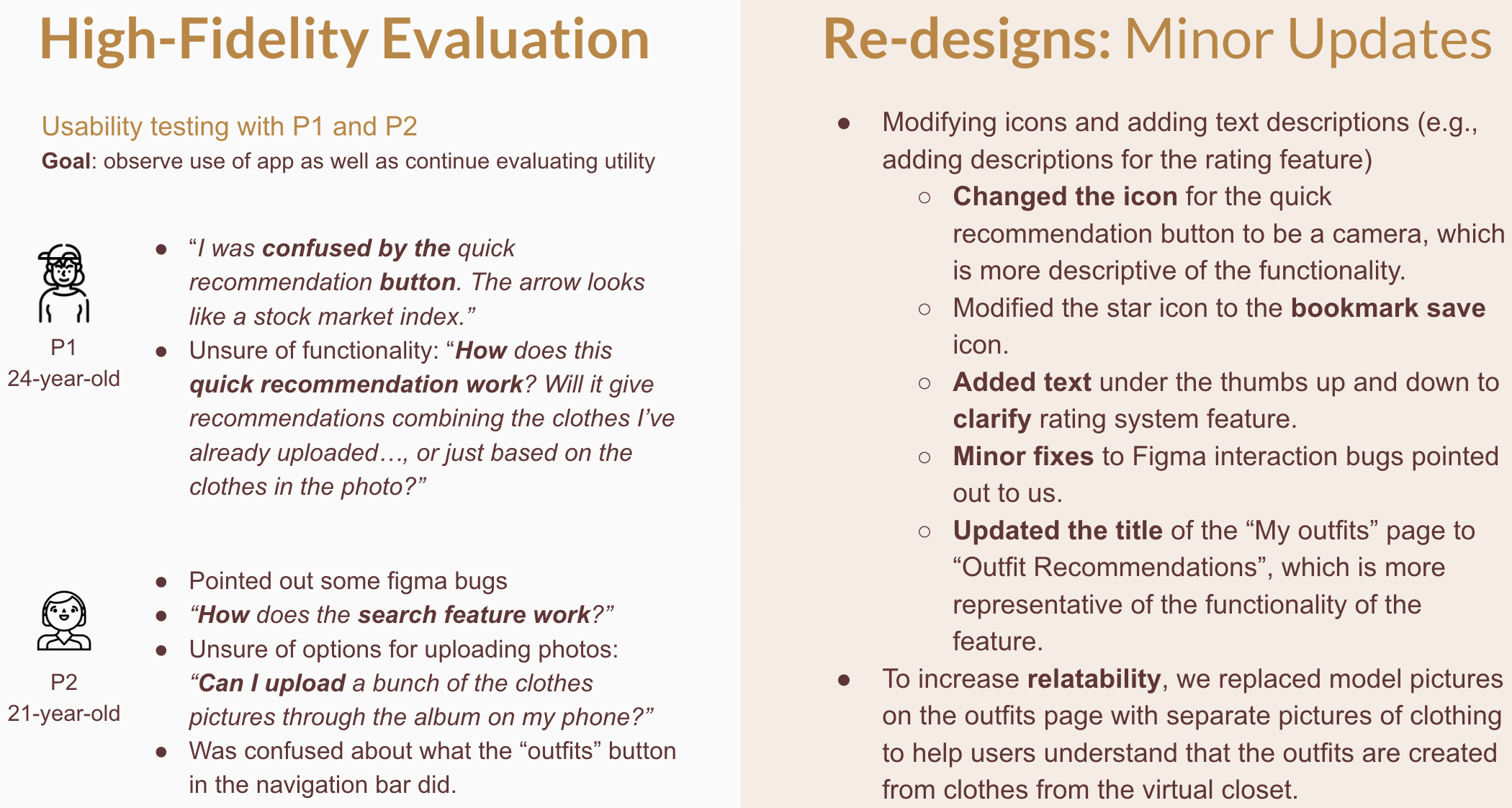
High-Fidelity Prototype We received valuable feedback from our classmates and target users. We made some modifications based on this feedback to improve the user experience.
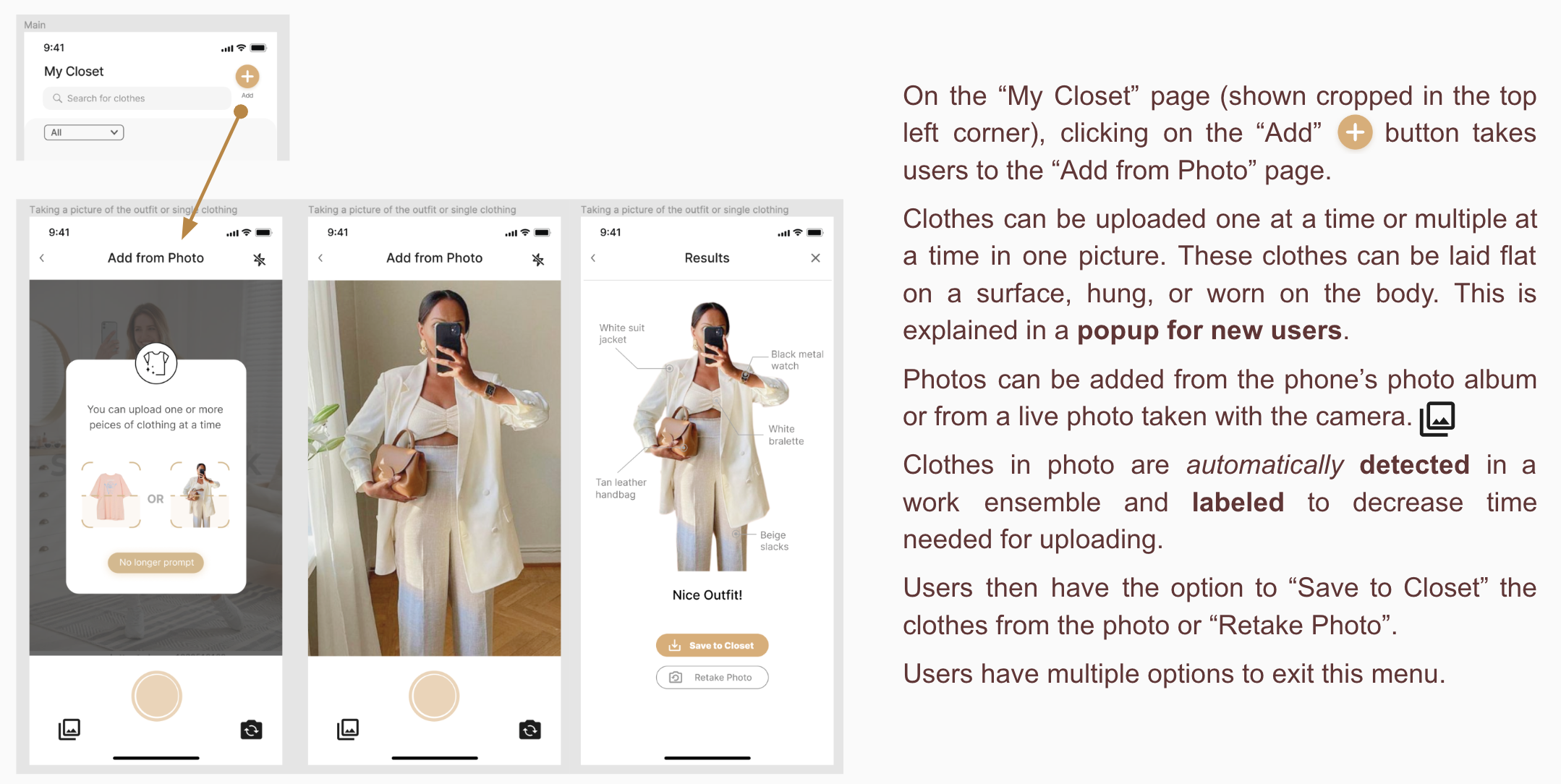
My Closet
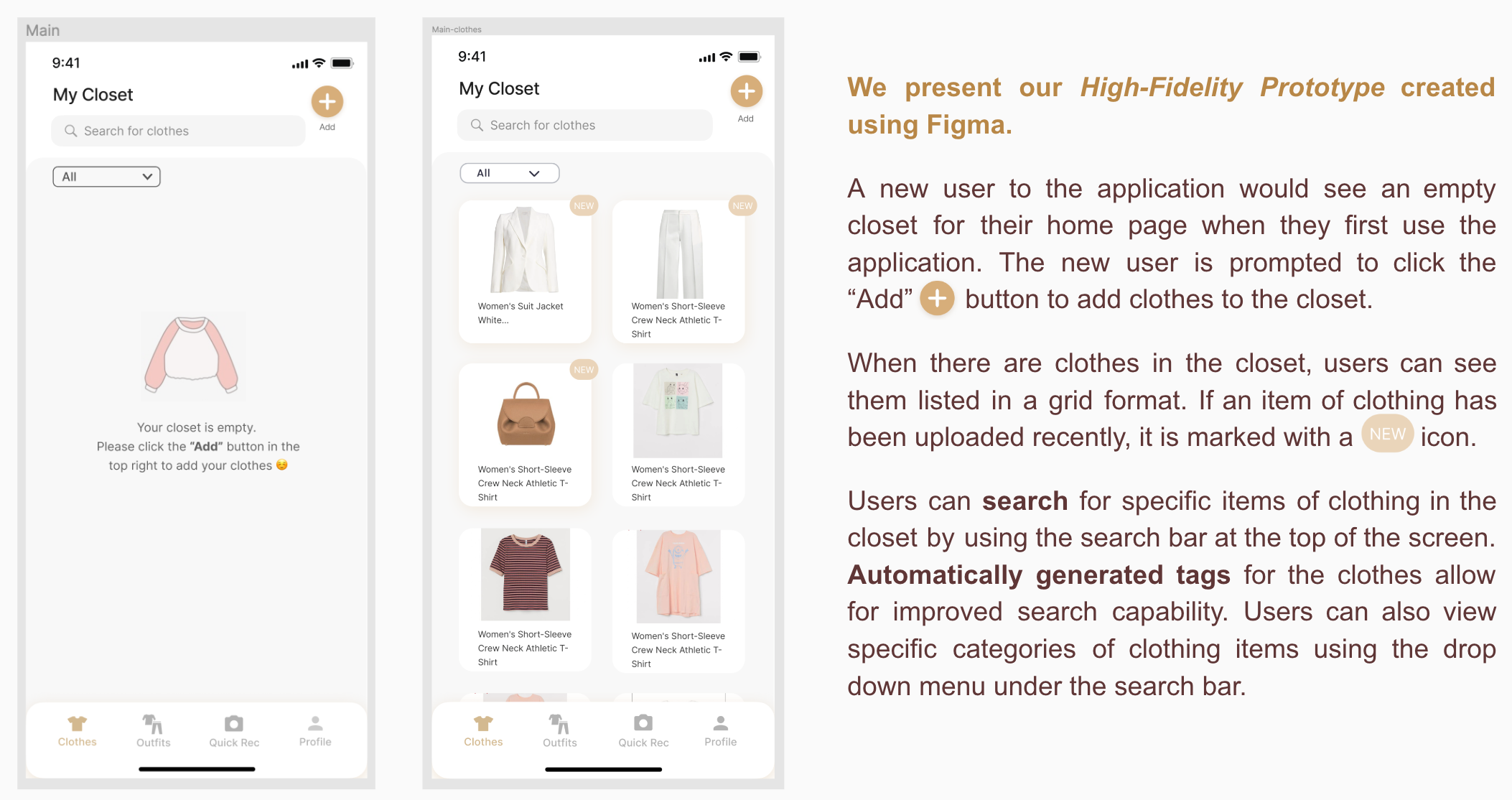
Adding Clothes to the Virtual Closet
Outfit Recommendations for Occasions
Quick Recommender
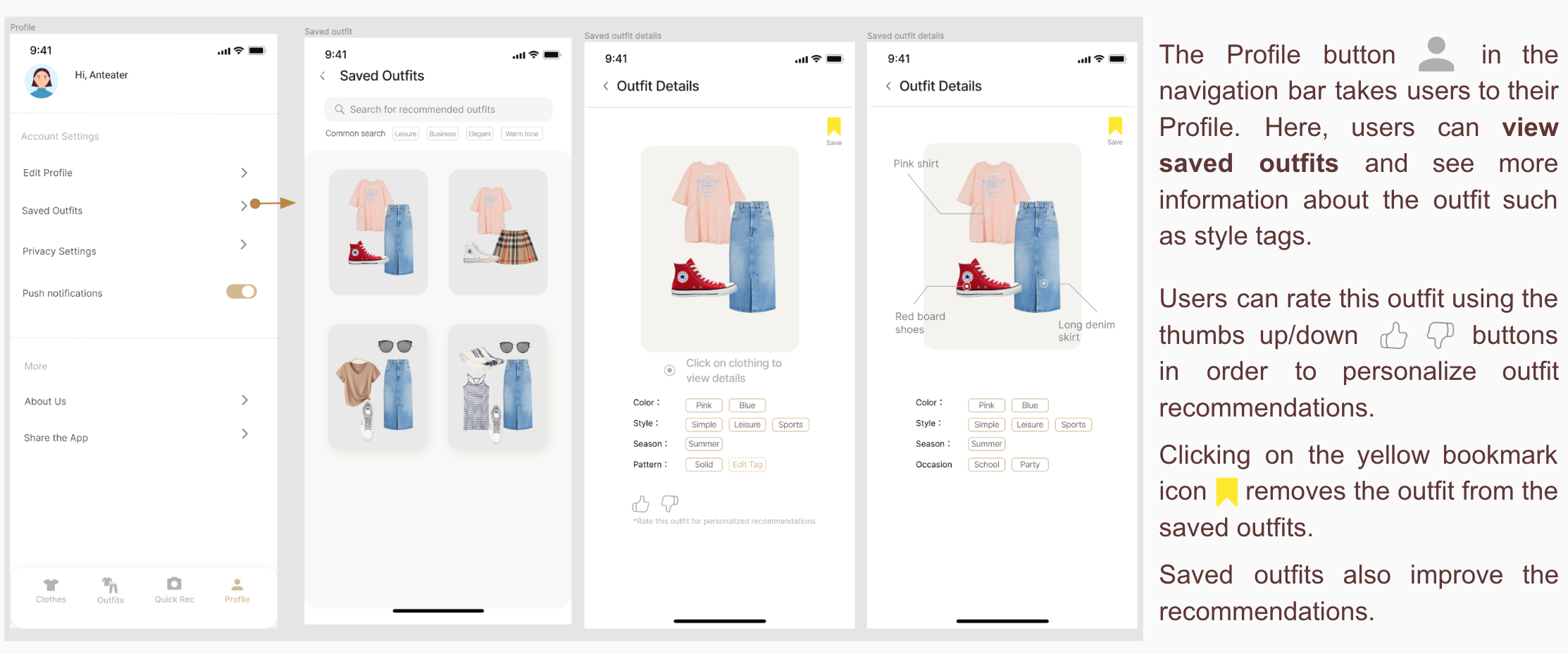
Saved Outfits
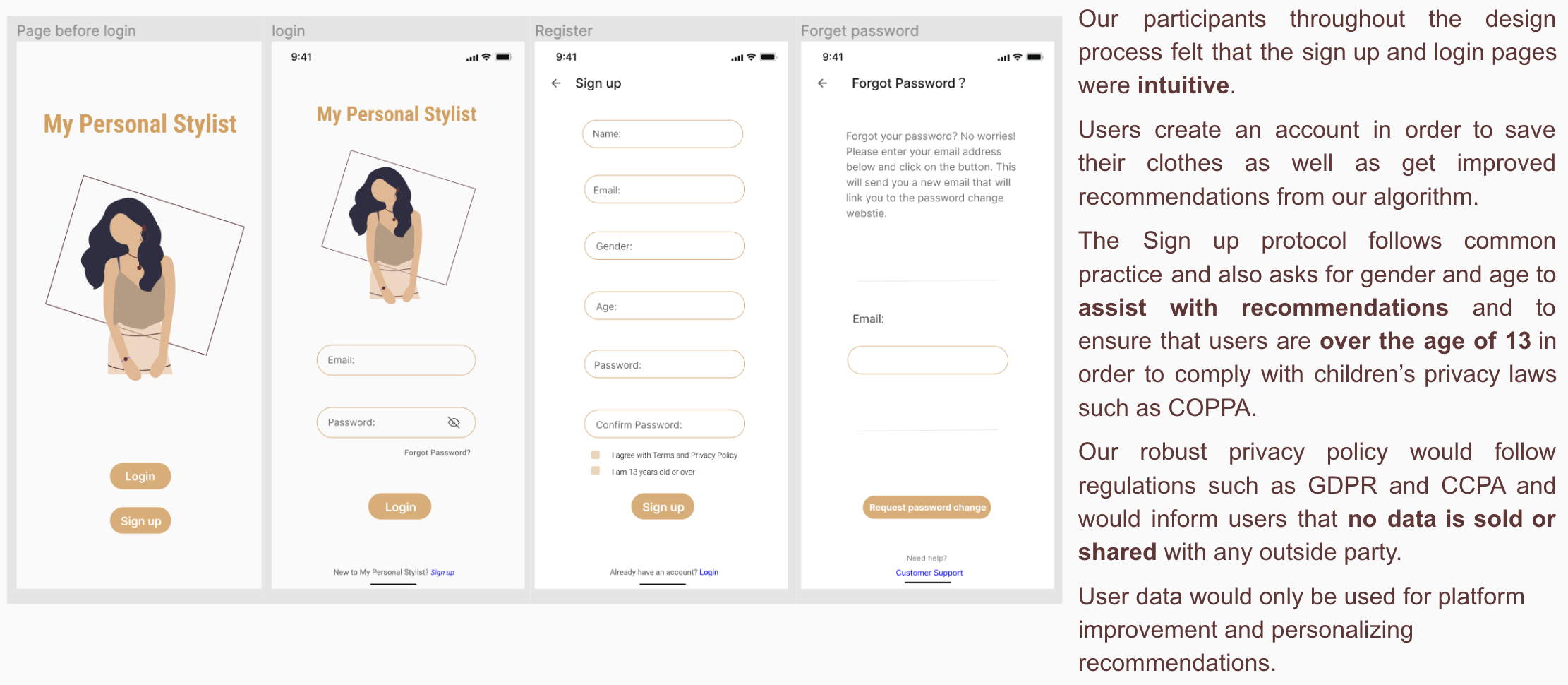
Sign up and Login
Testing
Overall Takeaways
- Multiple perspectives are important for developing a product that works for the most people within the target audience. Many iterations of interviews and evaluations led us to an improved product.
- Visual features such as color and iconography are important to convey meaning and functionality.
- Some questions continued to arise throughout the design process: why should I trust these outfit recommendations? Where are these outfits coming from, my clothes or from somewhere else? How am I able to search for outfits?
- The fact that these questions keep coming up tells us that we most likely need to further research the target user’s pain points.
- We need to make clear to users how their clothes would be used in the recommendation system. Through further research, we could learn to present to the user what streams of data the recommendation system uses to recommend outfits.
Future Recommendations
- Narrow the scope of the target audience at the very beginning in order to better understand users’ specific needs.
- Evaluate the design with more users more often during lower-fidelity prototyping phases to get more large scale perspectives rather than highly detailed feedback about the UI. Also, this avoids great issues that are hard to fix down the line.
- Make the prototype more relatable to the users (e.g. using pictures of clothing that look like someone took it in their bedroom).
- Improve the understandability of the UI
- Make clear to users how the recommendation works (e.g., how the clothes would be used in the recommendation system).
- Make important features more prominent for the user.
- Include more descriptive text, titles, and labels to increase understandability.
- We could conduct further user studies to uncover the terminology that aligns most with target users such as card sorting activities or focus groups to improve our descriptive language.